Workspace & projects
The workspace is where a project’s state is summarised before you record anything: which browser will launch, which domain it is allowed to visit, how much evidence is stored, and what is still unfinished. Everything WeftKit does is scoped to one project at a time.
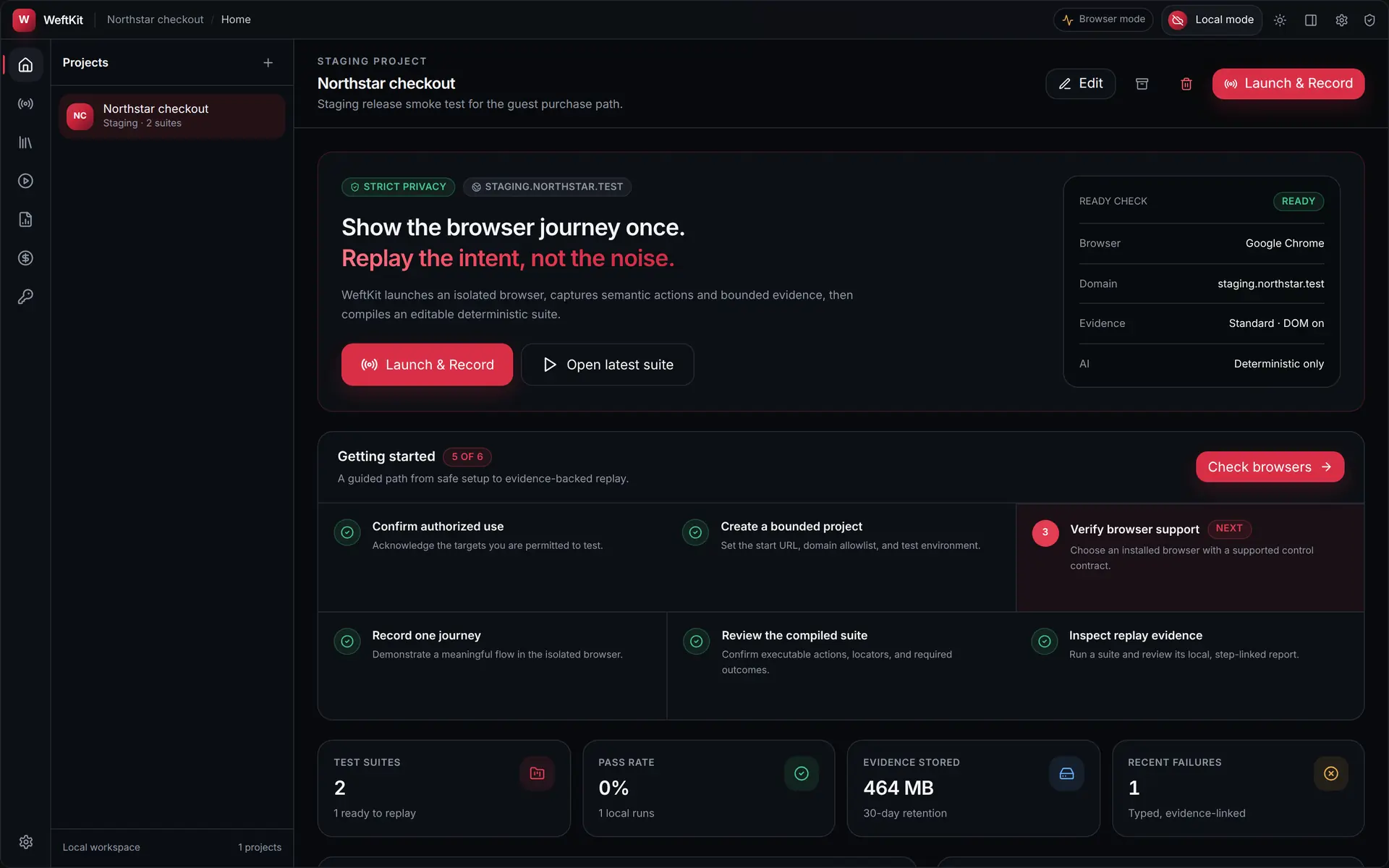
Anatomy of the window
Every view shares the same three-part frame, so the controls never move around on you.
| Region | What it holds |
|---|---|
| Navigation rail | The eight primary views — Home, Record, Suites, Runs, Reports, AI costs, Vault — with Settings pinned to the bottom. A pulsing dot on Record marks an active capture. |
| Context sidebar | Scoped to the current view: the project list on Home, recent captures in the studio, suites, runs, reports, or spend by project. |
| Title bar | Project and view breadcrumb, desktop-core status, account menu, theme toggle, inspector toggle, and settings. |
What a project bounds
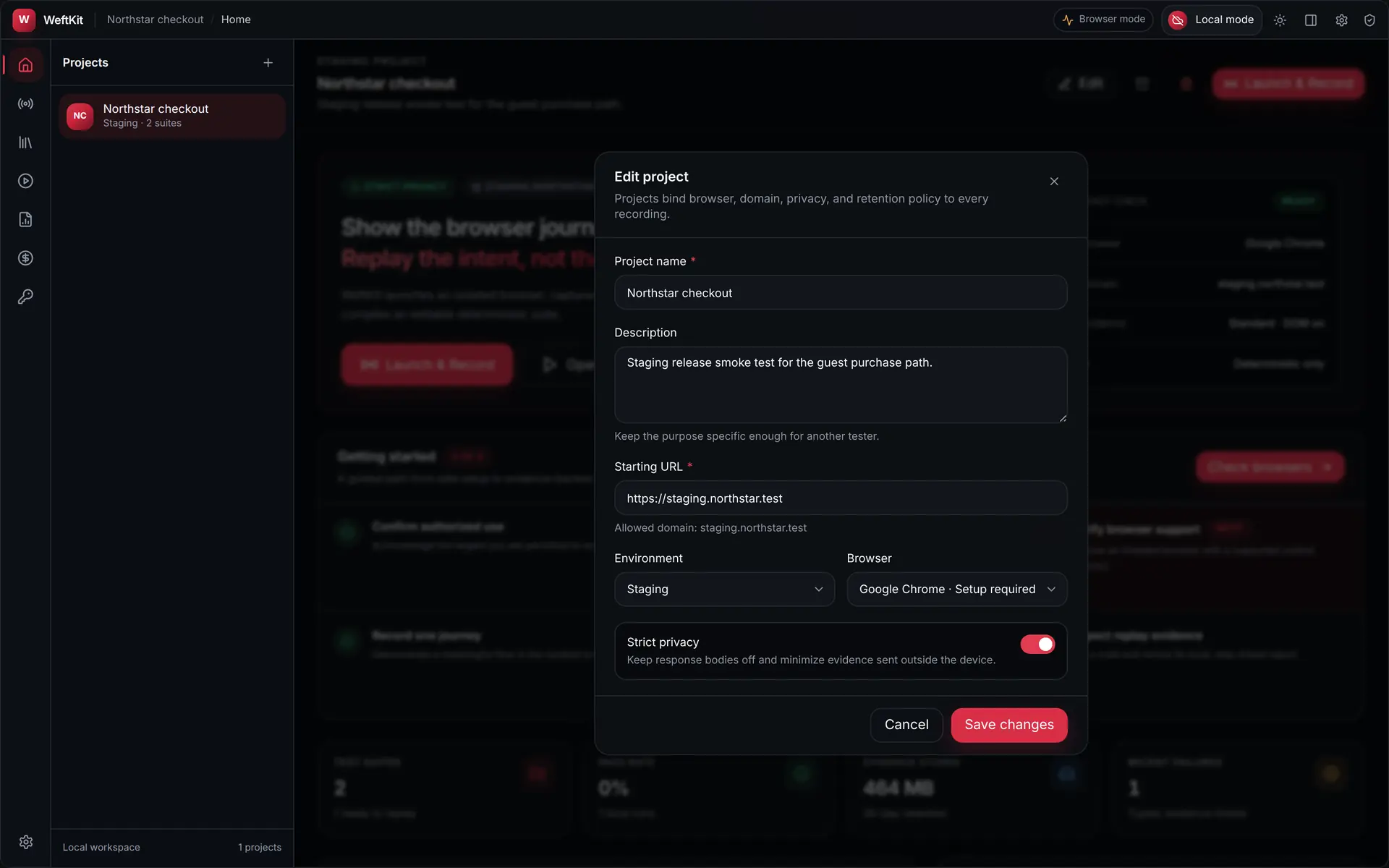
A project is not just a folder. It carries the policy that every recording and replay under it inherits:
- A starting URL, which establishes the default top-level navigation allowlist. You can edit the allowlist afterwards.
- An environment — Local, Development, Staging, or Production — shown on every run and report so a production result is never mistaken for a staging one.
- A browser chosen from your detected installations.
- A privacy profile, Strict or Diagnostic. Strict is the default: network bodies off, with sensitive-field rules applied to screenshots and DOM snapshots.
The ready check
Before the launch button does anything, the panel on the right states the four facts that determine whether a capture can even start — the browser that will launch, the allowed domain, the evidence profile, and whether AI is available. When any of them is not ready, the panel says so instead of failing later in the middle of a recording.
Getting started checklist
The checklist tracks six steps from safe setup to evidence-backed replay, and each item links straight to the view that completes it: confirm authorized use, create a bounded project, verify browser support, record one journey, review the compiled suite, and inspect replay evidence. It is computed from real workspace state, not from a dismissible tour.
Workspace metrics
Four cards summarise the project: how many suites exist and how many are ready to replay, the pass rate, how much evidence is stored against the retention window, and the count of recent failures. Every number is derived from local run records.