Reports & evidence
A report is the audit record of one run or one recording. It is stored locally, organised into seven tabs, and written to be defensible: it separates what was observed from what was verified, and states its own gaps.
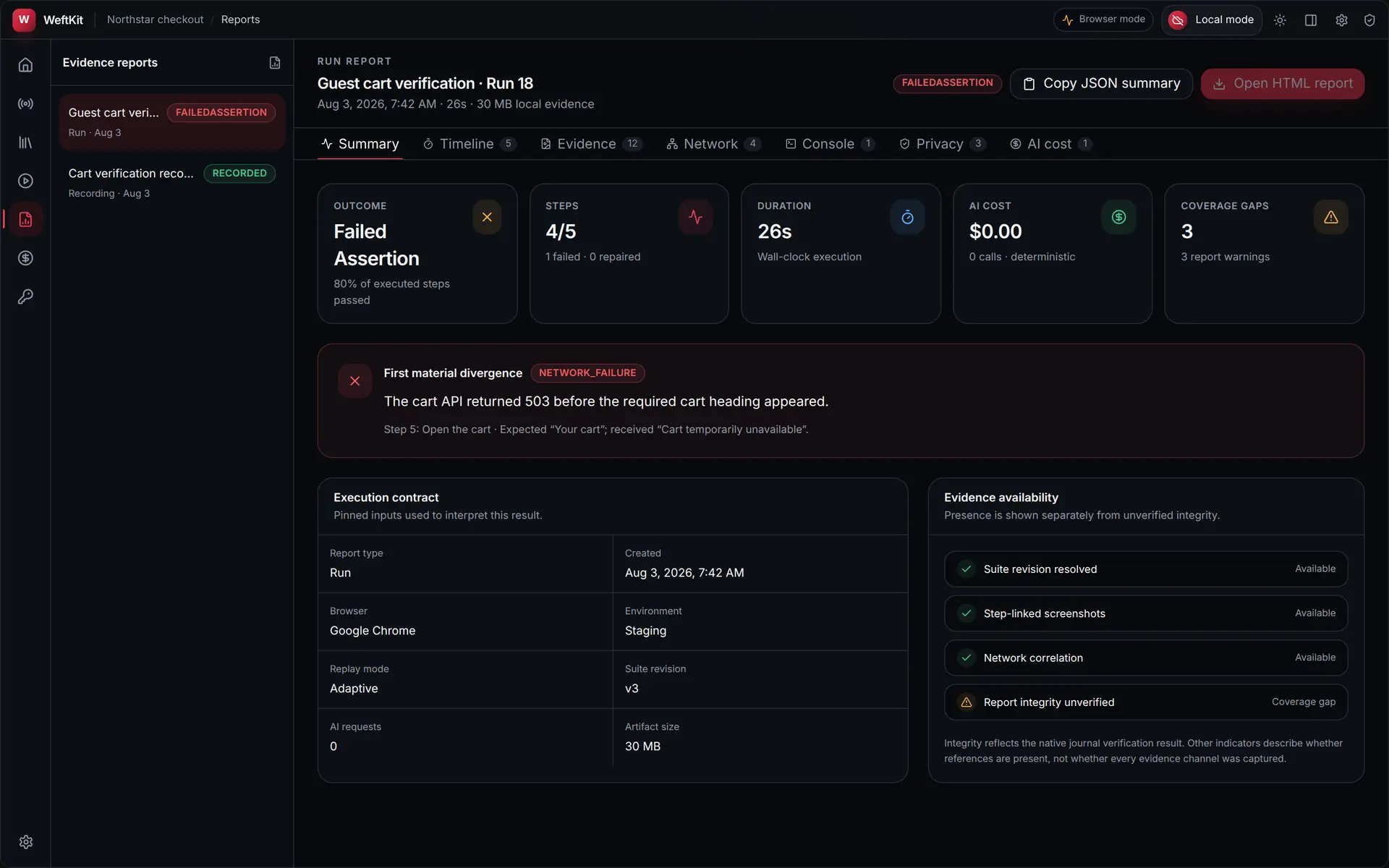
Summary
The summary opens with the verdict, the executed-step ratio, wall-clock duration, AI cost, and the number of coverage gaps. Below it sit two panels that make the result interpretable rather than merely colourful:
- Execution contract — the pinned inputs used to interpret the result: report type, creation time, browser, environment, replay mode, suite revision, AI request count, and artifact size.
- Evidence availability — which evidence channels are present, stated separately from integrity. Report integrity that has not been verified is labelled as a coverage gap instead of being omitted.
The seven tabs
| Tab | Contents |
|---|---|
| Summary | Verdict, execution contract, first material divergence, evidence availability. |
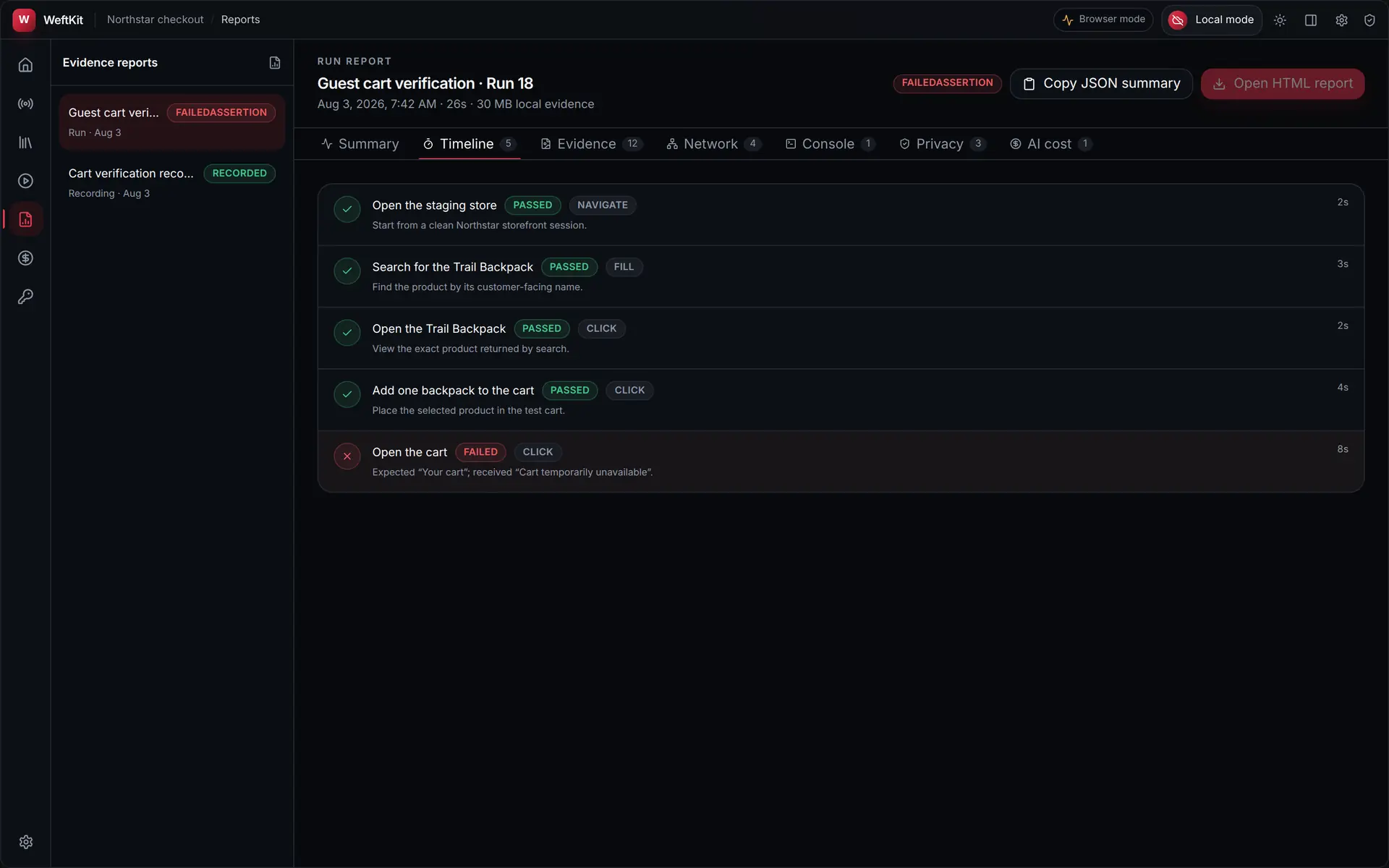
| Timeline | Every executed step in order with its status, action type, and timing. |
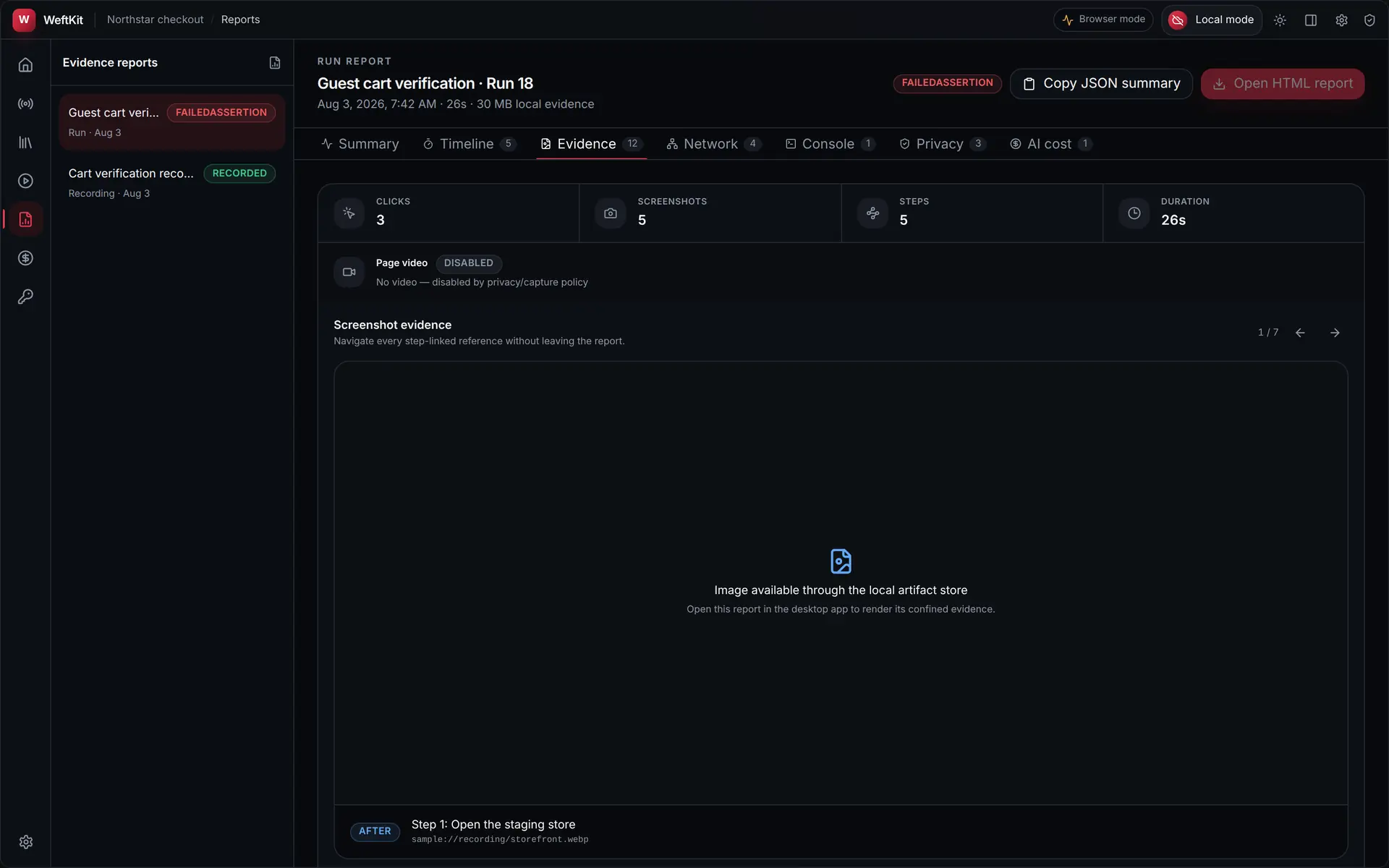
| Evidence | The screenshot gallery, linked to the step that produced each capture, with click, screenshot, and step counts. |
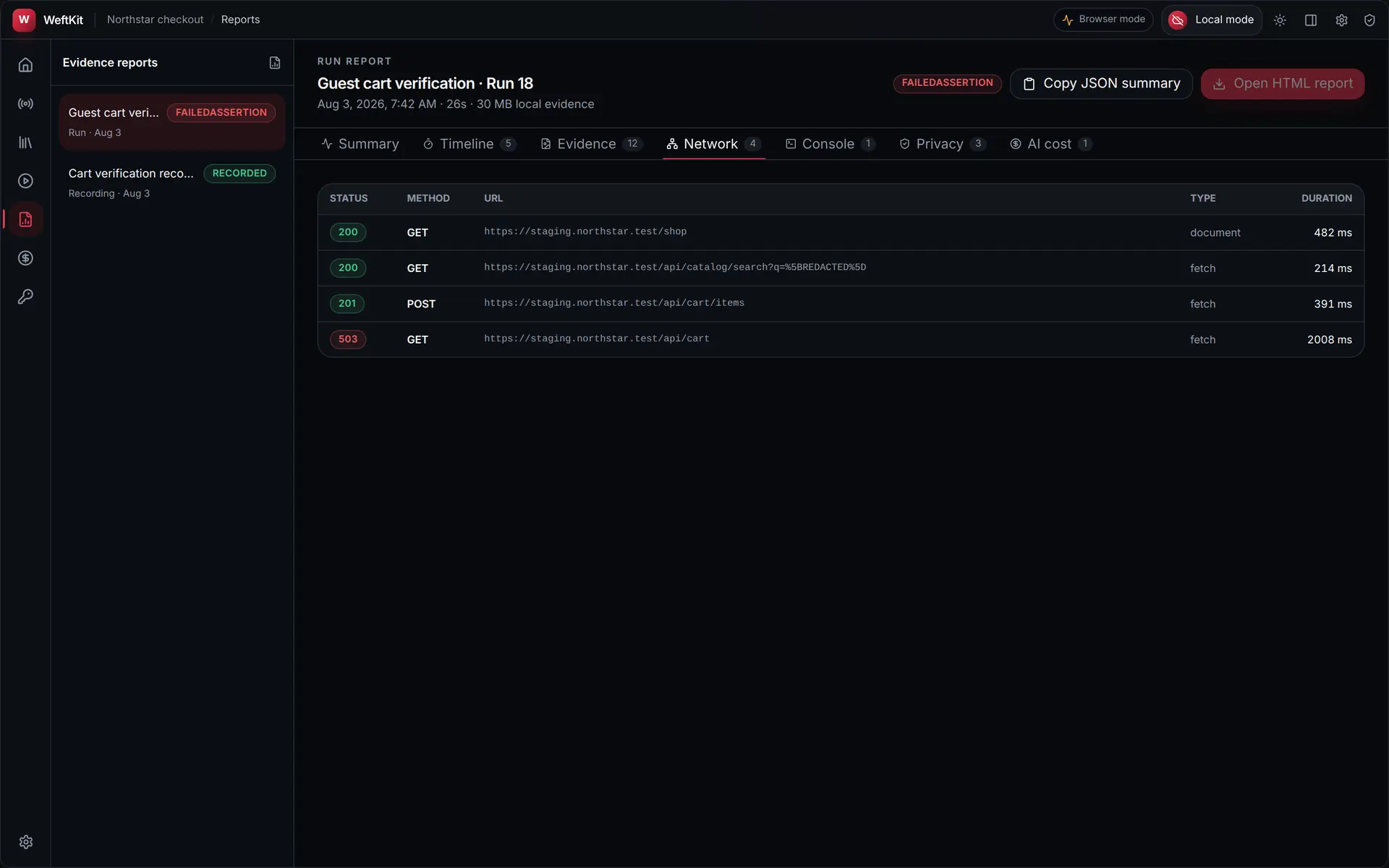
| Network | Request metadata — status, method, URL, resource type, duration. Sensitive URL values are redacted at capture. |
| Console | Browser console output captured during the run, timestamped by level. |
| Privacy | What the run touched in privacy terms, including the count of secret references involved. |
| AI cost | The provider transactions for this run — including the explicit zero-cost transaction when no provider was contacted. |
Redaction is applied at capture
Credential headers, sensitive URL values, secret-bearing fills, and sensitive screenshots are filtered before evidence enters a report. This is a collection boundary, not a display filter — there is no setting that turns it off, and no hidden copy of the unredacted value.
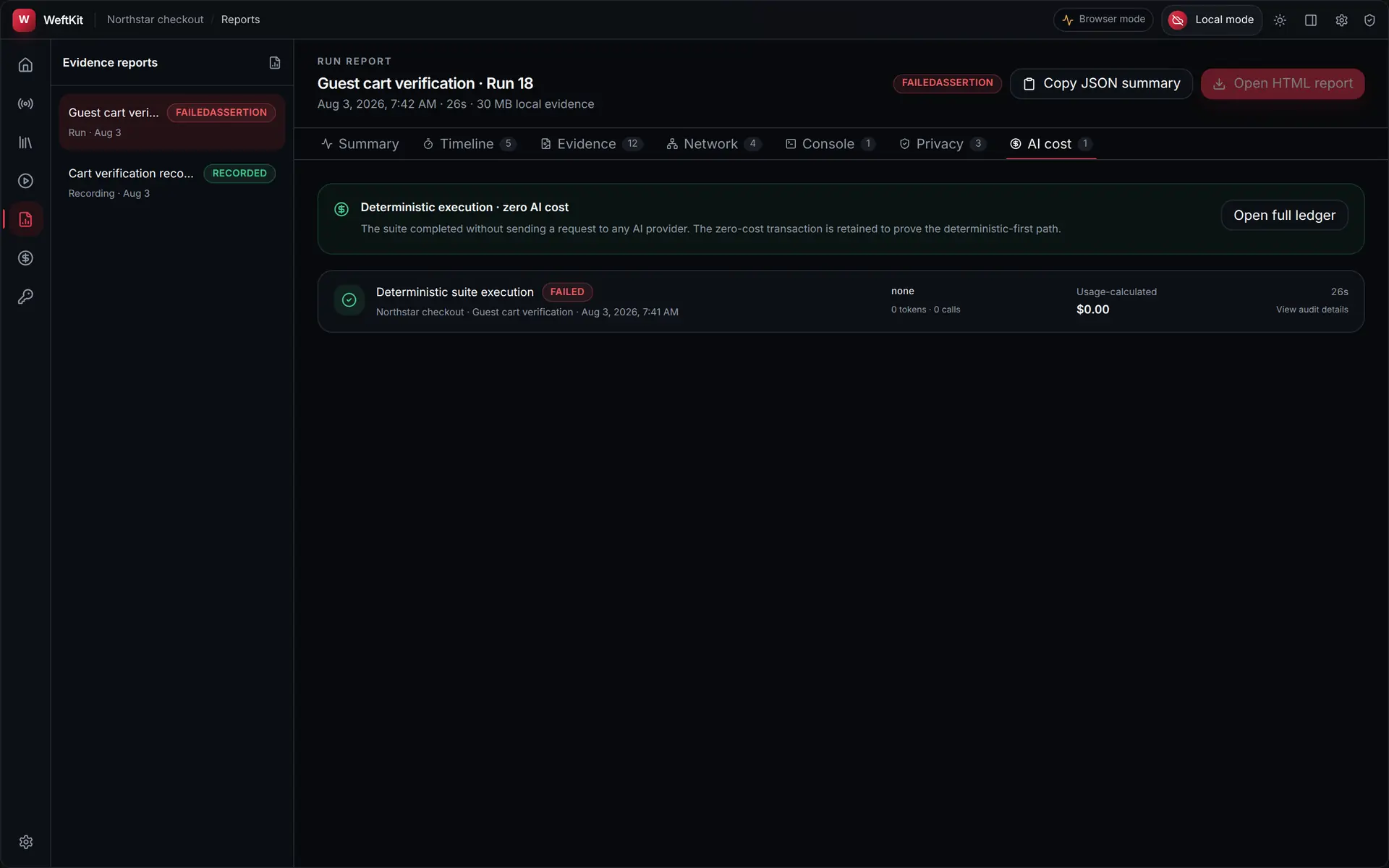
Exporting
Two exports sit in the report header. Copy JSON summary puts a machine-readable summary on the clipboard for a ticket or a CI comment. Open HTML report opens the standalone local report. Both are produced from the same stored record, so an exported artifact cannot disagree with the app.