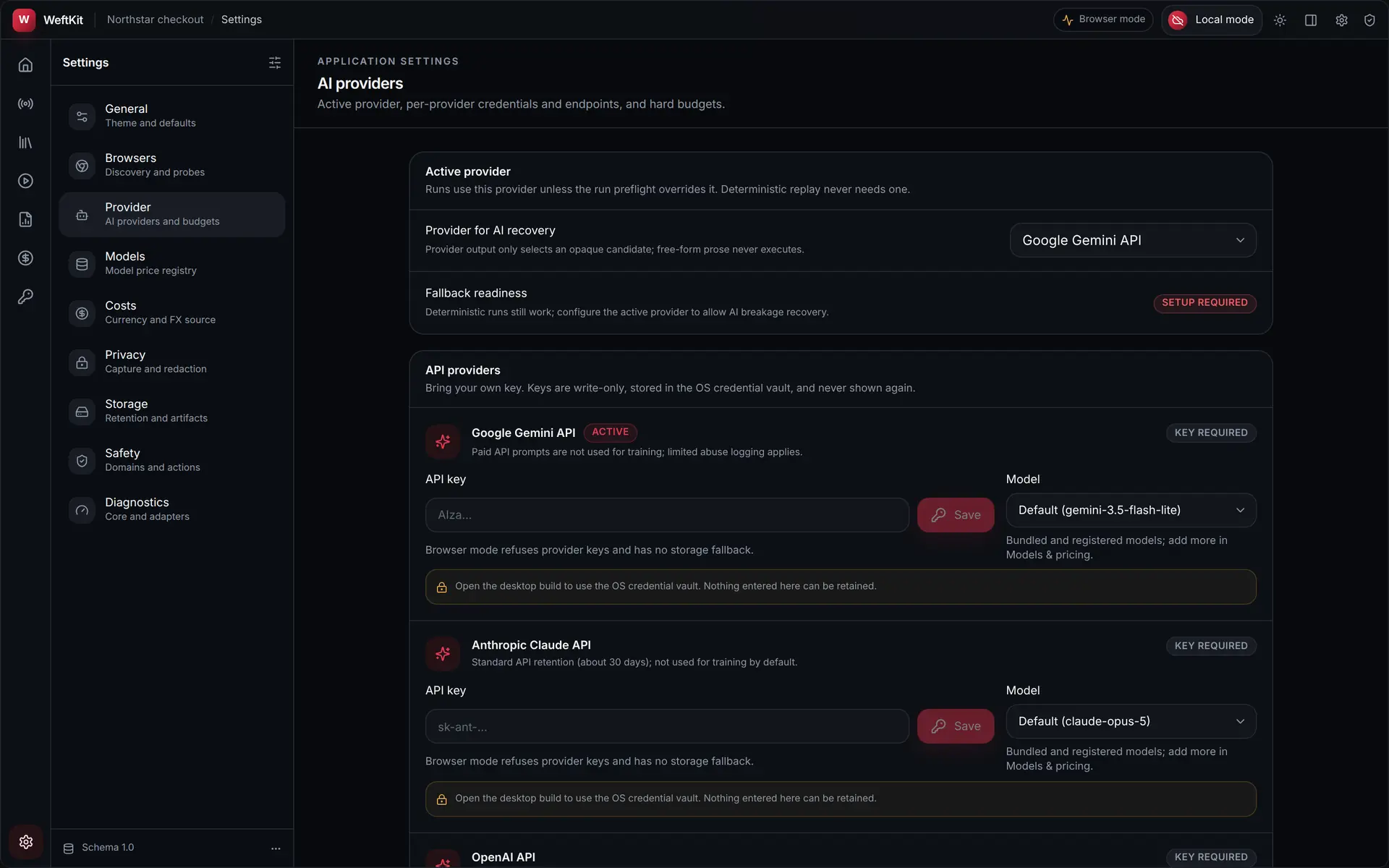
Provider setup
AI repair is optional and off until you configure a provider. WeftKit supports four kinds: bring-your-own-key APIs, local runtimes, CLI agents, and an embedded engine that ships with the app. You pick an active provider and model in Settings, and can override both per run.
API providers (bring your own key)
Google Gemini, Anthropic Claude, OpenAI, DeepSeek, Alibaba Qwen, and Kimi/Moonshot. Paste your API key in Settings → AI provider; it is stored in your operating system’s credential vault (Keychain, Credential Manager, or Secret Service), never in files or logs.
- Requests go directly from your machine to the provider — there is no WeftKit relay.
- Calls ask the provider for stateless, no-storage handling where its API supports it (for example Gemini's storage-disabled setting); retention is otherwise governed by your provider agreement.
- Your suite secrets are never included; requests are screened before transmission.
Local runtimes
Ollama and LM Studio serve models on your own hardware. Configure the loopback base URL (WeftKit defaults to each runtime’s standard port) and type the model name the runtime serves. No key is required, and with the default loopback endpoint repair traffic never leaves your machine.
CLI agents
Claude Code, Gemini CLI, and Codex can act as the repair model if they are installed and authenticated on your machine. WeftKit finds the binary on your PATH, or you can point it at one explicitly.
- The agent runs as a subprocess with a cleared environment — no access to your vault or the browser.
- It authenticates with its own login; WeftKit never sees those credentials.
- Output is parsed and schema-validated exactly like an API response — free-form text cannot execute anything.
Embedded engine
WeftKit also ships its own engine: a llama.cpp server that runs Gemma 3 4B on your hardware. Setting it up is a one-time download in Settings → AI providers — the server and model files, each verified against a pinned checksum before the engine is usable. No key, no account, no separate runtime to install.
- The engine runs inside WeftKit on loopback; repair requests never touch the network.
- Like every other provider, its requests are priced and recorded in the cost ledger.
Choosing per run
Defaults and overrides
Settings define the active provider and default model. The run preflight lets you switch provider and model for a single run, set the run’s hard AI budget in USD, or disable repair entirely. The provider is run configuration — it is never written into your suite.